


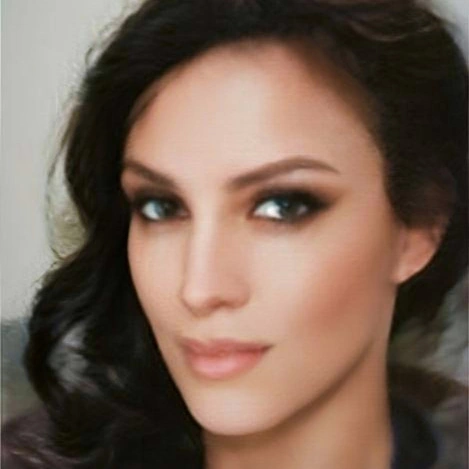
- Photorealism colored pencil and graphite artist
- Tutor on Colored Pencil Tutor and Pencil Drawing Tutor
- Founder and CEO of PenPick, Sketcher, GriDraw, and FreeToolio
- Self-publishing author of how-to-draw books
- Drawing portraits, animals, still life, and landscapes
- Drawing and teaching since 2014
I am Jasmina Susak, a photorealism pencil artist and author, and this is my official website showcasing my original drawings, paintings, photos, apps, professional drawing tools, art tutorials, and services. I’ve been drawing, publishing my artwork, and teaching people to draw worldwide since 2014. Many of my original drawings hang on walls around the world, and it’s been an incredible journey knowing that my art inspires and motivates people every day.
My goal has always been to create drawings that look as close to photographs as possible, which led me to develop my signature style of photorealism. I record and narrate my drawing videos, sharing time-lapse sped-up videos on social media and real-time narrated videos on Colored Pencil Tutor and Pencil Drawing Tutor, a paid membership platform where I offer drawing tutorials and guidance. With a growing community of members and tutorials, I’m happy to share my style and experience with artists who have joined and improved their drawings.
If you have any questions or require assistance with anything, please don't hesitate to reach out.
As a technology enthusiast with a passion for coding, I designed and developed 4 artist-focused tools for myself and other artists, professionals, and beginners:
- PenPick - Color Picker for Artists - a web application that helps artists match colors from reference photos by suggesting the closest pencils for selected areas. I developed PenPick for colored pencils, graphite, markers, and pastels.
- Sketcher – Sketch Maker for Artists – a browser-based tool for extracting clean pencil lines from reference photos for white, gray, or black paper. It also offers a transparent PNG background, allowing ONLY the lines to be printed on any paper color.
- GriDraw - Image Editor for Artists – a grid drawing tool that allows artists to place customized digital grids over reference photos to achieve accurate proportions.
- FreeToolio - Free Tools Online – offering completely free online tools that require no registration and the tools work directly in any browser.

Below, you can watch a short video where I demonstrate how I use the PenPick Colored Pencils app to select the right pencil for my drawing.
I teach drawing on Colored Pencil Tutor





On Colored Pencil Tutor, I teach my colored pencil techniques, explain which pencils I use and why, and show exactly how I create my drawings. Watch real-time videos from the first pencil stroke to the finished artwork, with no skipped or cut-out parts.
See full video library here!

As a member at Colored Pencil Tutor, besides tutorials, you can use PenPick web application to help you in the drawing process:
 The Penpick - Color Picker for Artists will help you in choosing the right pencils for your drawing. As my student at on Colored Pencil Tutor, you can use PenPick 24/7 in addition to my tutorials.
PenPick helps me choose the right colored pencils for my drawings. You can use it too, visit PenPick to learn more.
How to Choose the Right Colored Pencils with PenPick

Once the sketching is complete, the next step is coloring and shading your drawing. But how do you select the right pencils for your artwork? Fortunately, there's an incredible web application called PenPick. PenPick is a browser-based color matching tool designed for traditional artists - specifically those working with colored pencils, graphite, pastels, markers, and paint.
When you upload a reference photo and select an area from your reference photo, PenPick suggests which colored pencil to use - see demonstration on a ladybug drawing. The application features 28 most popular colored pencil brands.
I teach drawing on Pencil Drawing Tutor




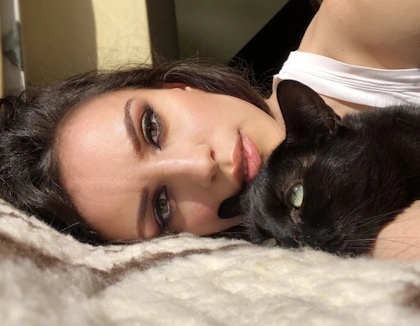

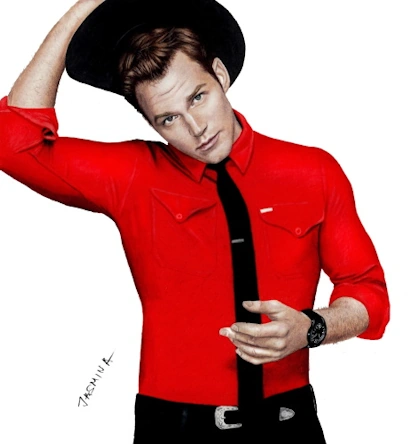
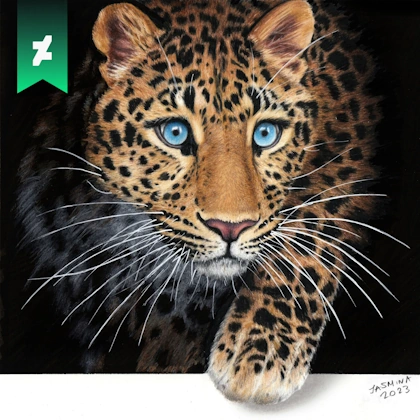








Learn to draw animal fur textures in colored pencil. Narrated tutorials on Colored Pencil Tutor

Drawing Tutorials on Colored Pencil Tutor
600+ Hours of Drawing Videos • Photorealism Lessons • Hand-Drawn Art • Step-by-Step Tutorials



Free Online Tools on FreeToolio I Use in My Drawing and Painting Process
I use and recommend free tools that help artists prepare for their drawing and painting workflows, that you all can also use for free, without registration, in any browser:
Posterize Image Online Free Tool
I use this when I want to map out the values for my graphite drawings. Read more about these tools and how they help me in my drawing process in my Blog: Best Free Online Tools to Help Artists Prepare for Drawing and Painting

This is a great tool to help you see which are the darkest parts in your reference photos and which are the brightest highlights. I use it for both colored pencil and graphite pencil drawing process.

Free Online Color Value Finder
This is similar to posterizing values, but this is for color artworks. I use this to see the values of my reference photos. When drawing with colors, it's more important to create proper values than colors. If colors are a little bit "wrong", the drawing will still look good if your values relate properly to each other.

Grid Maker - Add Grid Over Image - Square Cell 1:1 Ratio Option Included
and this is when you draw with grid method to place a grid over your pictures. I use grid method to make perfectly proportional drawings.

Please let me know if you find these useful in the contact form below :)
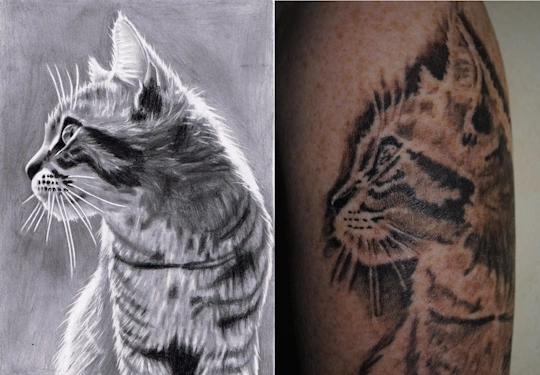
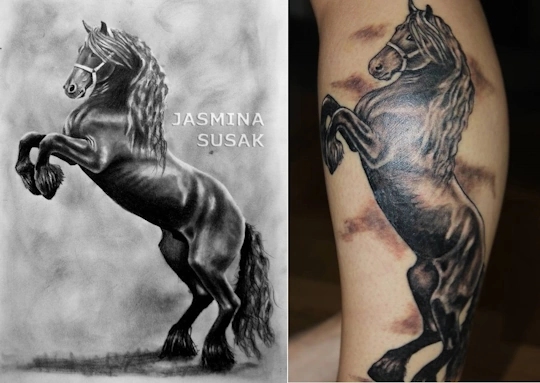
Two of my fans have my drawings tattooed on their arm and leg 

 Tweet
Tweet

Jet Li shared my drawing of him on his Instagram page







 in Colored Pencil
 in Colored Pencil
 in Colored Pencil
 in Colored Pencil
 in Colored Pencil
